



How to Choose Your First FPV Drone? TinyWhoop vs. Large Drone
FPV (First Person View) drone flying is one of the most exciting hobbies in the world, but starting out can feel overwhelming. Different goggles, controllers, frequencies, and batteries often leave beginners wondering: where do I even start to avoid crashing hundreds of euros into the ground in the first minute?
If you are a complete beginner (a future pilot), you essentially have two choices on the table: either get a safe and tiny TinyWhoop micro-drone or dive straight into the deep end and start assembling a 5-inch freestyle drone. Let’s take a closer look at which direction is right for you.
1. TinyWhoop – The Best and Safest Way to Start
A TinyWhoop is a tiny, palm-sized FPV drone with propellers fully protected inside a ducted frame (such as the BetaFPV series).
- Why it's great: You can fly it indoors, cruise under the living room table, or bump into the TV—nothing will happen to the drone or your living room. It weighs so little that crashes won't break it.
- Who it's for: The ideal choice for your first step. Many manufacturers offer convenient RTF (Ready-to-Fly) kits, which include the drone, controller, and FPV goggles all in one box.
2. 5" and 7" Custom FPV Drones – Pro Class and Speed
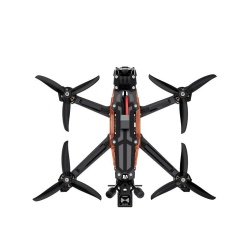
If your goal is to shoot cinematic videos, fly outdoors in windy conditions, or perform massive acrobatic tricks, then you will want larger frames and more powerful electronics.
- Why it's great: Larger drones (like 5-inch freestyle frames or 7-inch long-range drones) can carry a GoPro camera, handle the wind, and reach incredible speeds. Modern digital systems like the DJI O4 Air Unit deliver breathtaking HD video straight to your goggles.
- The downside: They are heavier and more dangerous. If you have never flown before and make your first mistake with a 5-inch drone speeding at 100 km/h against a tree, repairs are guaranteed.
The Golden Rule for Beginners: Start with a Simulator!
Before you actually plug in any batteries and spin up the propellers, there is a cheap and foolproof trick. Get yourself a proper FPV radio controller (one that supports a modern protocol like ELRS), connect it to your computer via USB, and download an FPV simulator (such as Liftoff or Velocidrone).
Once you’ve put in your first 10 hours crashing in the simulator and can comfortably keep the drone stable in the air, you are ready to consider flying for real.
Come Ask for Advice and Get Hands-on!
The FPV world has a massive maze of standards—digital vs. analog video, various radio frequencies, and strict battery charging rules. To avoid buying the wrong gear that isn't compatible, it helps to see and understand things in person.
Drop by the ClayPitRC hobby salon in Tallinn (Laki tn 6). We have BetaFPV micro-drones, high-quality frames, stacks, motors, and DJI HD systems right on the shelves. We'll look over your budget together and build a plan to get you in the air safely and with quality gear!